Category

Latest News

asterCC multi-tenant call center system released 2.4-rc1

By | Latest News | No Comments

We are proud to announce that we released new asterCC, in this version we added one cool feature, you could get a report about why your calls are now answered, like busy, invalid number, defaulting subscriber etc, based on early media, we could generate a no answer report for each campaign: 54c4865829abdfd728e39077144bb46c.media.750x429 for full change log, please check here You can download the system to have 60 days 5 agents trial with all features.

asterCC call center 2.3-rc2 released

By | Latest News | One Comment

New features:

  • Add “Auto Stop ACW(s)” function.
  • Change the fixed size of selection area.
  • Add the function of deleting the past CDR by the script.
  • On the page of [Statistics]→[Agent Details],add columns(workmode_dialin,workmode_dialout,workmode_all) to display and export.
  • On the page of [System]→[Recording Plans],Whether delete the source file of recording when we delete the Recording Plans.
  • On agent desk page,add a radio button that control all status in different agent groups.
  • On the agent desk,we add “current status and duration” under the “Status” button.
  • On the agent desk,when you click the “Obtain Customer” button,the first date of customer will appearing automatically.auto_exit_acw.media.700x480 switch.media.700x306

To download, please go to https://astercc.org/downloads

asterCC call center 2.3-rc1 released

By | Latest News | 2 Comments

New Features

  • Support ASR engine for Chinese
  • Support to use ASR engine to recognize phone call status (power off, busy, invalid etc)
  • When save a customer in campaign, system could post all information to a specific url
  • New information when export customer data
    • last call start time
    • last call end time
    • last call duration
  • In agent detail statistic page, support export job
  • Command line to re-generate and reload all configration
  • A new API for call conference, and it allows for DTMF pass through

Bug Fix

  • When enable hide contact, in some other module, agent can still see customer phone number
  • Fixed duplicated menu in import page when using different role

It provides 5 agents 60 days free trial, please download from https://astercc.org/downloads

asterCC released 2.2-rc4

By | Latest News | 2 Comments

We fixed some bug in this version

New Features

  • New API to call two numbers which are not system device

BUG Fix

  • Updated dahdi drive
  • Fixed the bug that agent ring timeout is alway 15 seconds
  • Fixed the bug that call get hangup if agent press # during the call
  • Fixed the bug that MOH in ringgroup is not changeable
  • Fixed the bug that predictive dialer is not respect the redial option
  • Fixed the bug that it didn’t create related table when create a main table campaign
  • Fixed the bug that it didn’t respect user scope in CDR page
  • Fixed the bug that it didn’t respect the device option in IVR
  • Fixed the bug showed all conferences of all teams in conference page
  • Hide password in SMS config page

asterCC Call Center released 2.2

By | Latest News | No Comments

asterCC commercial call center system released version 2.2, the most improvement in this version is that it integrated google ASR, with previous TTS integration, now your asterCC IVR could read and listen now!

you can download and have a free trial from HERE

====== New Features ======

  • In IVR, all actions now have a failure destination
  • Support ASR in IVR
  • Support IVR for import/export
  • Display queue status in agent portal
  • In report, we could get agent report for all group he belongs to, including call number, call duration, average call duration, login duration, busy duration, etc
  • For call hint window, add option: hidden, fixed, delay-close
  • Add realtime call status diagram, including IVR, talking, ringing, waiting
  • New WYSWYG editor
  • Added extension number in extension list
  • In template, use “display name” instead of database column name
  • In campaign, it supports auto reset customer status if agent hasn’t contacted the customer for days so other agents could obtain
  • Added report in CDR page, including inbound calls, inbound duration, outbound calls, outbound duration, inbound cost, outbound cost, team cost, system cost, user cost
  • Added device status in conference, green means device is online
  • In predictive dialer, it could auto redial based on config, say you can configure re-dial in 1hr, 3hrs, 12hrs
  • Some report start to run background, to avoid timeout when it has to run lots of data

====== Bug Fix ======

  • Fixed the bug when hiden contact, phone number displayed in contact history
  • Fixed the bug when listen recordings in QC page, customer information is null for main customer table
  • Only when user scope is system, team admin and user is system admin or team admin, it will display black list and DID in import page
  • Fixed the bug when agent try to send non-mime email
  • Fixed WeiXin menu management page css bug
  • Fixed the bug that in import/export job management page, it always goes back to first page
  • Fixed the bug when query in conference page, different team might see others’ records
  • Fixed the bug when delete a customer in campaign customer management page

asterCC released a new module to support social media app: wechat

By | Latest News | No Comments

In the latest asterCC 2.2-alpha, we released a new module, with the new module, call center could provide service for social media app users.

It includes features:

  • ACD for agents
  • Set a limit for concurrent clients each agent could serve
  • Receive recordings
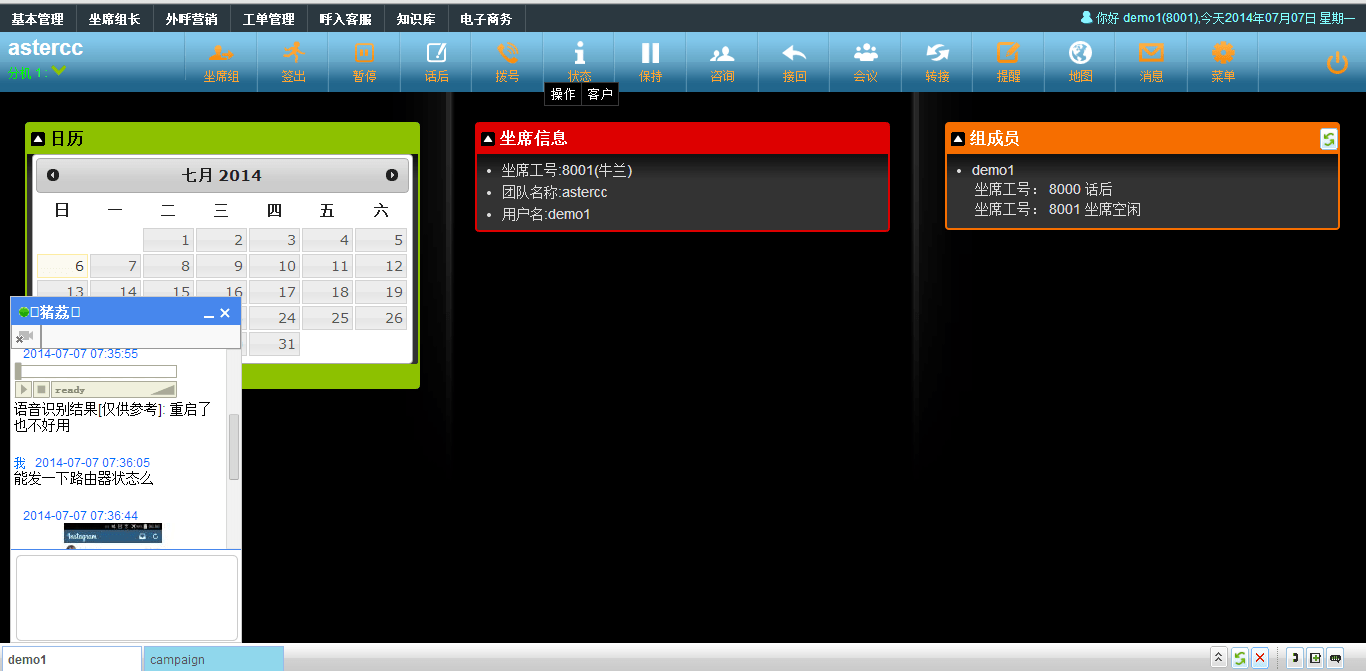
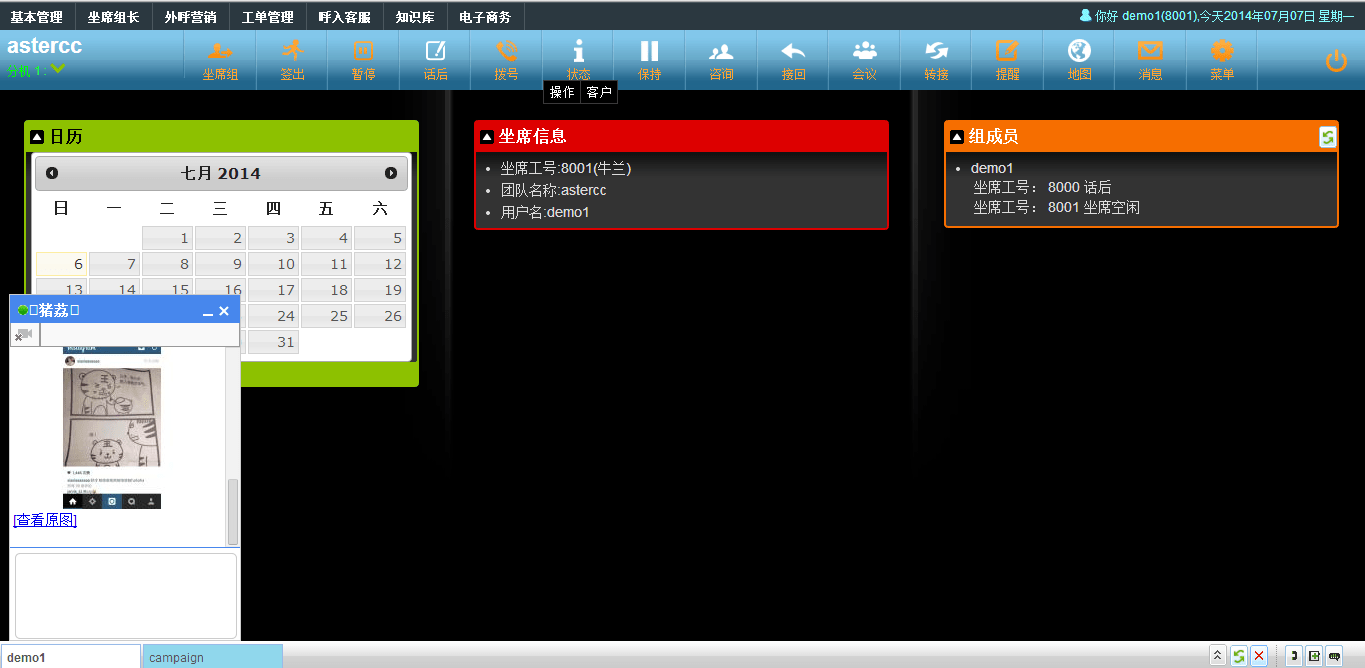
  • Receive images
  • Receive and sent text

In the new upgrade, it also provides some new features

  • In campaign, agent could dial a number to finish a call from his dial list, then with a IVR, he can save the call result
  • Follow me
  • Configure displayed and exported customer field permissions for BPO account
  • Dial *+ext. to reach voicemail
  • Dial * during voicemail greeting to reach a voicemail
  • Dial 0 to reach receptionist during voicemail greeting
  • Use wild char in template to get replaced with customer information in template

To use 2.2-alpha, you need to install asterCC 2.1 first, then go to System Modules to upgrade

Download:   https://astercc.org/downloads

Change log: https://wiki.astercc.org/doku.php?id=en:change_log:astercc-2.2-alpha_changelog


wechat_1
wechat_2
wechat_3
wechat_4

Thanks for your support.

asterCC hosted call center released 2.1

By | Latest News | No Comments

asterCC Commercial released version 2.1, besides bug fixing, it provides some useful new features:

  • Import & Start: Simplifies the process of importing data, please read import
  • TTS, allow to generate text to speech via browser or via API
  • Improve external agent device, allow to set separeted trunk and rate
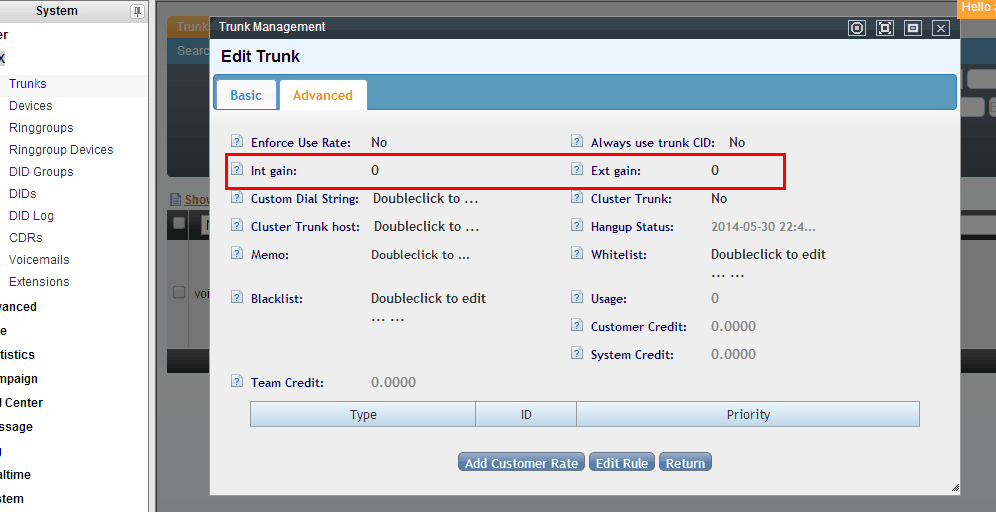
  • Add trunk gain, allow to adjust internal or external gain for recording
  • Add quick scheduler feature
  • Improve auto dial priority
    • dial scheduler numbers
    • dial past due numbers
    • dial new numbers
  • Improve campaign statistic

For all changes, please read:

https://wiki.astercc.org/doku.php?id=zh:change_log:astercc-2.1_changelog

System provides 5 agents 60 days free trial, you can download from:

BPO outsourcing

trunk_advanced

campaign_advanced

announcement_tts

agent_popup

asterCC call center release 2.0-beta

By | Latest News | No Comments

asterCC Commercial call center system released 2.0-beta, from 1.x to 2.x, we are now using asterisk 1.8 !

Download:  https://astercc.org/downloads

For change log, please check
https://wiki.astercc.com/doku.php?id=en:change_log:astercc-2.0-beta_changelog

For upgrade from 1.2.2 to 2.0beta
https://wiki.astercc.com/doku.php?id=en:download_and_install:upgrade:core-2.0-beta

In the new version, we provides lots of new features,

Some main features are

  • Request Callback: Caller could request a call back in IVR, then the request will be sent to missed call page, and the agent will get a notify in the same time so they can call back when they are free.
  • Auto-Answer Sip Header: When click-dial and predictive dialer, when system call phone, we could enable this option so the IP-Phone could answer the call automaticly, when it’s a regular inbound call, it would not auto-answer
  • Hangup Report: System could give a report which show the latest 10 hangup reason, it could be useful to analyse trunk status
  • Auto Disable Failure Trunk: When there’s a call failure in a trunk continued, the trunk will be disabled automaticly, this could be used in a trunk group as a redundancy
  • Inbound Route based Caller ID: In inbound route, you could route the call based on their caller id, like different country to different queue
  • Speed Dial for Callback: agent could dial *73 to check history calls and make a quick call back
  • Auto route to last agent: When caller enter a queue, system will try match the last agent he talked to, or the agent he belonged to, if no match or the agent is not available to answer, caller will queue.
  • Hangup SMS/Email: system could send a SMS/Email when customer hangup in a call
  • Logistics: In e-commerce it supports logistics management
  • IVR: we add some good IVR features in this version, it can support more complicated IVR design
    • TTS integration: you can call your tts application in webservie
    • Multi-Action in one IVR node
    • send DTMF: In an IVR, you can send dtmf digital to the other channel
    • Math and String function
    • user-to-user data:  in IVR, you can use the variable in SIP message

auto_answer_sip_header

customerserivce_edit


A Sonicwell Product · Also: CXMind AI · WCC Contact Center